
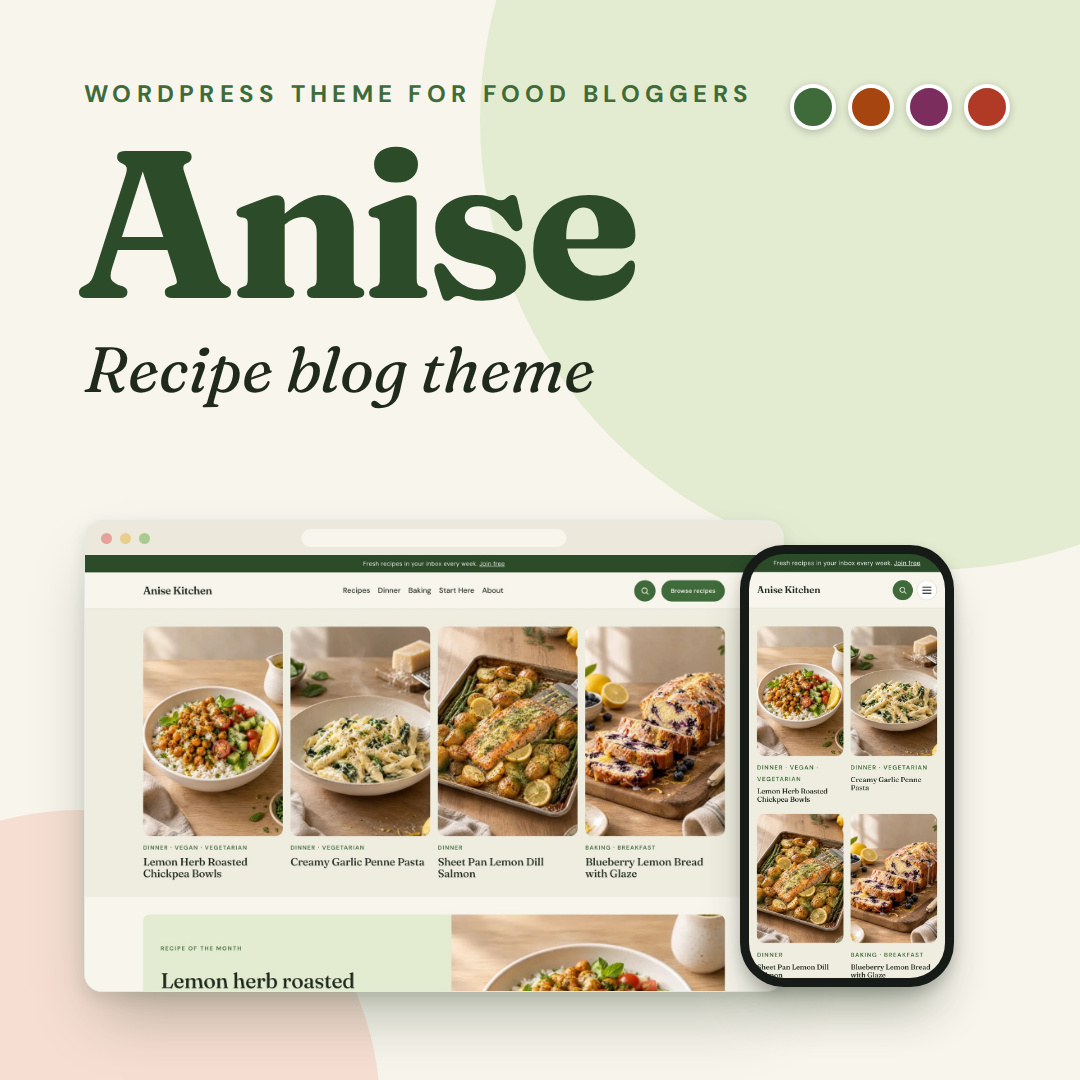
Anise is a recipe blog theme for WordPress, made for food bloggers, home cooks and recipe creators. It is a block theme, so you edit everything in the WordPress Site Editor. You also need no page builder and no parent theme.
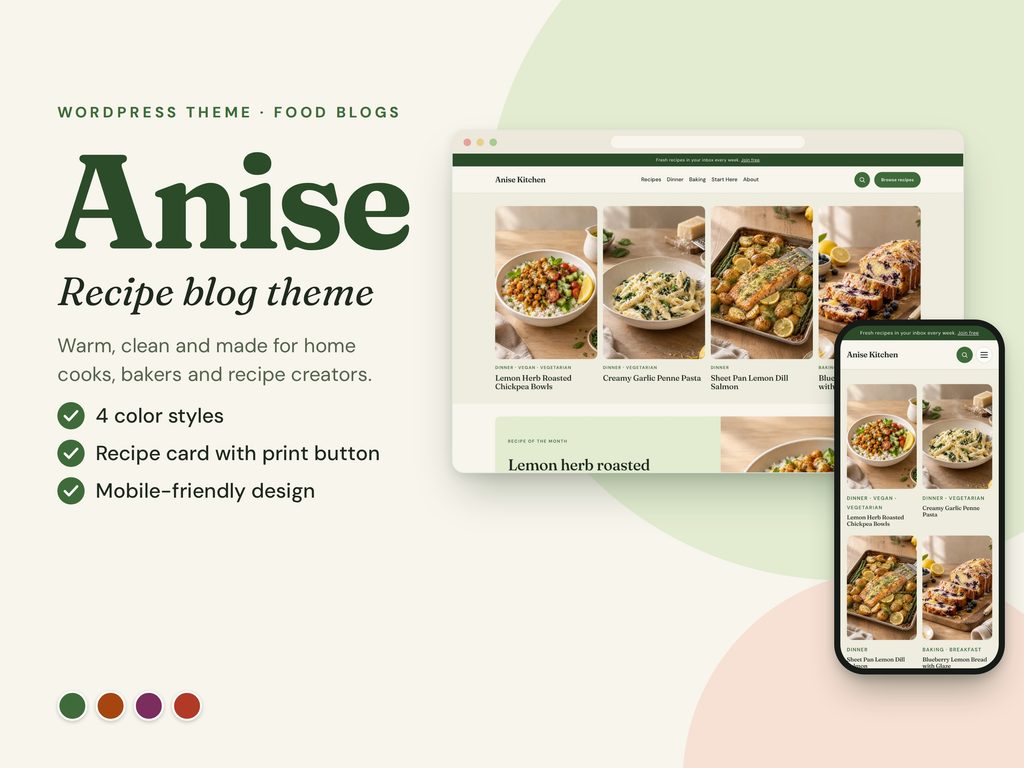
Recipe blog theme with four color styles
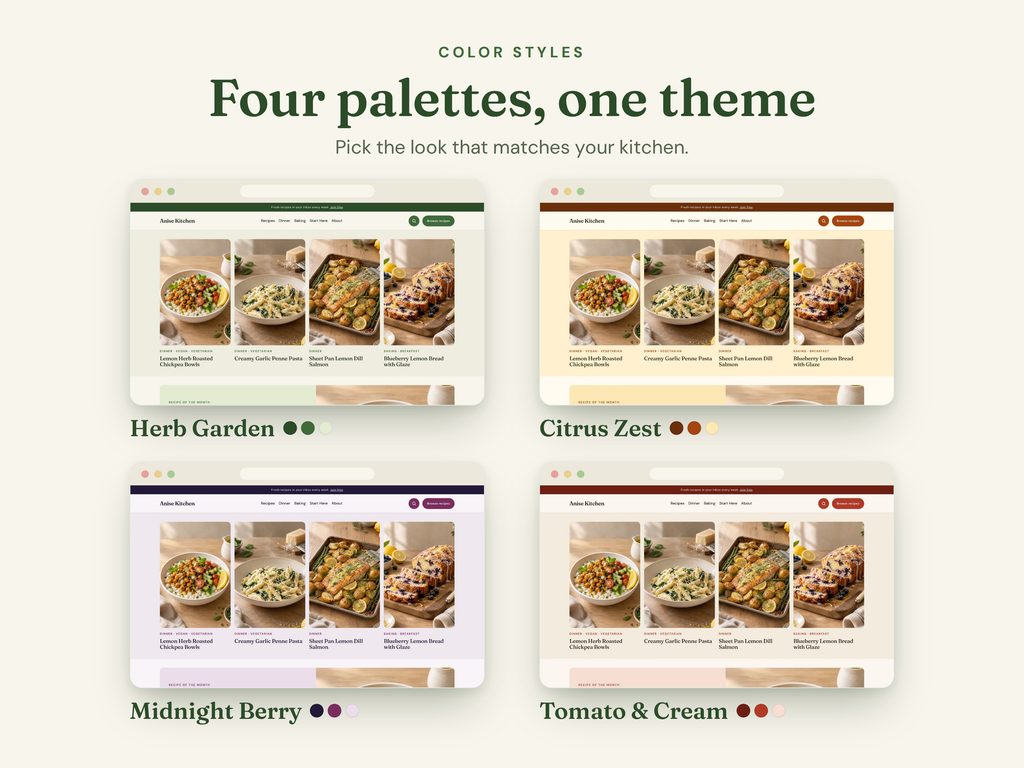
First, pick one of four ready-made styles in Appearance > Editor > Styles > Browse styles. Your content, menus and settings stay exactly as they are. In addition, buttons, links, the footer, filter bar and recipe cards follow the palette automatically. As a result, matching the colors to your brand takes only a few clicks.
Herb Garden
Fresh green on a cream background. This is the default style.
Tomato & Cream
Warm red and cream.
Midnight Berry
Deep plum and berry on a soft light background.
Citrus Zest
Burnt orange on a warm lemon-cream background.
A recipe blog theme built for recipes
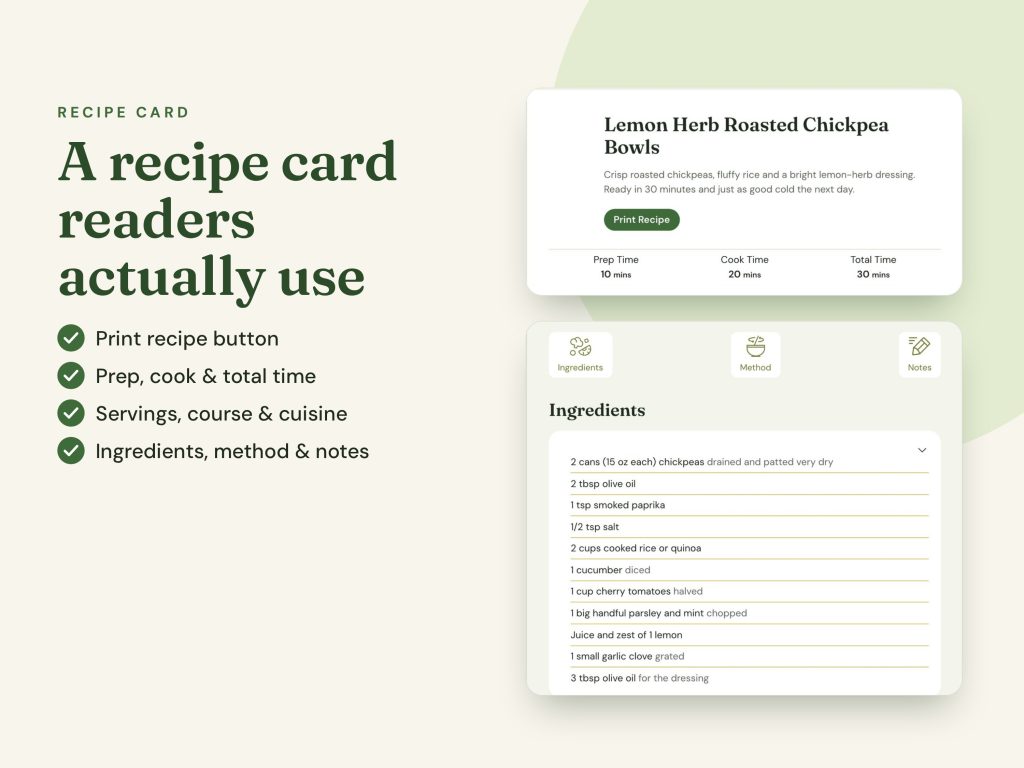
- Styled WP Recipe Maker card – the card shows times, servings, course, cuisine, ingredients, method, notes and a print button. Also, colors, fonts and buttons follow the active style. The free version of WP Recipe Maker is enough.
- No plugin? No problem. Instead, you can use the simple styled recipe card pattern with ingredients and instructions.
- “Jump to recipe” button for your post headers. It scrolls smoothly to the recipe card.
- Recipe Index page with category chips and an instant text filter. However, it lists up to 48 recipes on one page, so larger sites can use the category archives with pagination.
Page templates for your recipe blog theme
First, choose a template in the page settings (right sidebar > Template). Then build the page from the patterns below.
| Template | Use it for |
|---|---|
| Homepage: Magazine | Hero grid, featured recipe, category tiles, latest recipes |
| Homepage: Classic blog | Post list with sidebar |
| Recipe Index | All recipes with category chips and an instant text filter |
| About page | Author photo and story |
| Start here | Welcome page that guides new readers |
| Contact | Contact details card beside your form |
| Link in bio | A simple page for Instagram or Pinterest, without the site header |
| Full width (no title) | Any page where you want to build the layout yourself |
Ready-made patterns
Patterns are ready-made sections that you add from the editor’s Patterns tab. For example, you get a Hero with the four latest recipes, a Featured recipe of the month, a Recipe finder, Category tiles and a Latest recipes grid. In addition, the theme includes a Newsletter opt-in, a Shop my favorites banner, an About the author section, Related recipes, a Post list with sidebar, a Sidebar, Subcategory chips, a simple Recipe card without a plugin, Post header snippets with Jump to recipe, a Contact details card and a Copyright line.
Header, footer and extras
- Announcement bar above the header. Edit the text and link, or remove it.
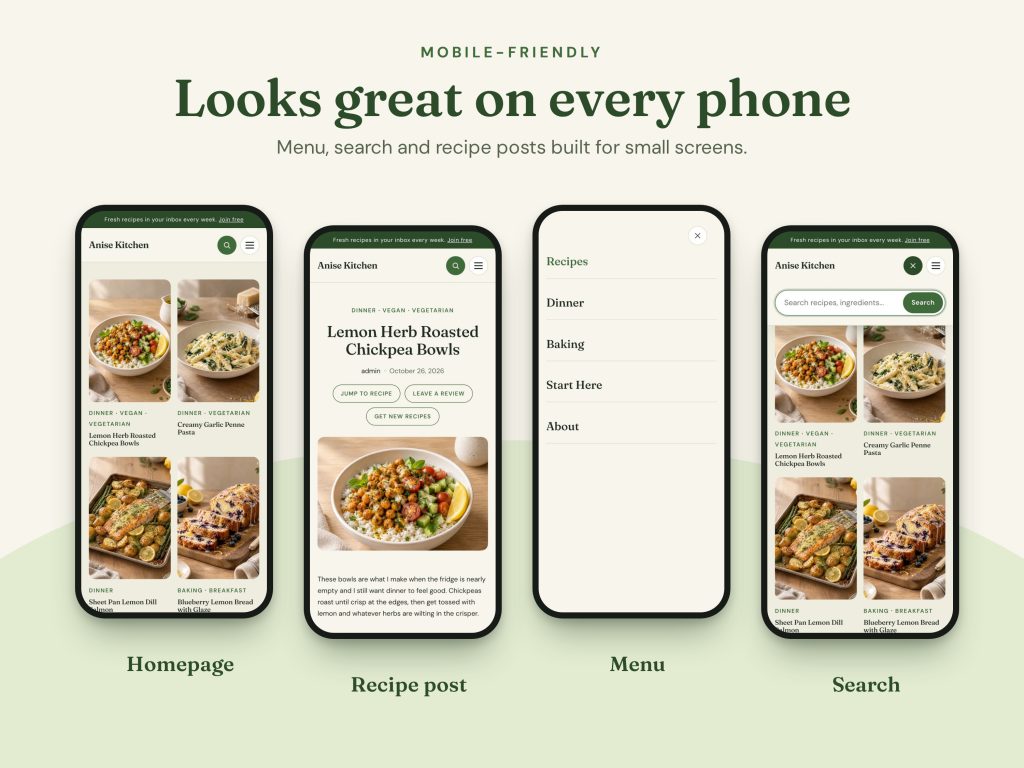
- Search panel that a round search button opens, plus a “Browse recipes” button you can relink.
- Mobile menu – on screens narrower than 600 px, the menu becomes a round button that opens a full-screen menu.
- Four-column footer with brand, social icons, Recipes, Explore and Newsletter.
- Ad slot (300×600) in the Sidebar pattern. As a result, the page does not jump when an ad loads.
A fast, clean recipe blog theme
As a recipe blog theme, Anise loads one small stylesheet, self-hosted fonts (Fraunces for headings, DM Sans for text) and almost no JavaScript. Therefore, most of a page’s weight comes from your photos. Also, the theme makes no Google Fonts request. In addition, Anise is translation-ready. However, the bundled fonts cover Latin characters only, so choose another font under Styles > Typography for other alphabets. We have not tested right-to-left layouts.
Demo content and photos
The built-in demo importer sets up your site in one click. First, it creates 14 sample recipes with categories and tags. Then it adds 10 pages (Home, Home (classic), Recipes, About, Start Here, Links, Contact, Privacy Policy, Terms and Affiliate Disclosure), a header menu and the front page setting. Later, “Remove demo content” deletes everything the importer added and restores your previous homepage and permalink settings. Your own pages and posts stay untouched.
The photos on the live demo are for preview only, so they do not come with the theme. Instead, Anise includes built-in placeholder images, and the documentation explains how to use your own photos.
Recipe blog theme requirements
| You need | Minimum |
|---|---|
| WordPress | 6.6 or newer |
| PHP | 7.4 or newer (8.1+ recommended) |
| Image support | WebP enabled in PHP (GD or Imagick) if you use .webp photos |
| Recipe plugin | WP Recipe Maker (free version is enough) for the full recipe card |
Anise is a standalone block theme that you use with the WordPress editor. However, it does not target page builders such as Elementor.
Install your recipe blog theme in four steps
- First, go to Appearance > Themes > Add New Theme > Upload Theme.
- Next, choose the Anise theme zip (do not unzip it), click Install Now, then Activate.
- Then install and activate WP Recipe Maker from Plugins > Add New.
- Finally, go to Appearance > Anise Demo and click Import demo content.
The newsletter section contains a sample form that does not send data anywhere, so replace it with the embed code from your email provider (Mailchimp, ConvertKit, MailerLite and similar). Also, the Contact template has no form of its own, so add a form block from any form plugin (WPForms, Contact Form 7, Fluent Forms and others).
License, updates and support
- License: we release Anise under the GNU General Public License v2 or later. In addition, the fonts use the SIL Open Font License 1.1.
- Updates: you get lifetime theme updates at no extra cost.
- Support: you get 6 months of support from the date of purchase. This covers installation help, bug fixes and questions about using the theme, but it does not cover custom design work. Contact support.
- Refunds: because Anise is a digital product, we do not offer refunds. However, if you have a problem with your files, contact support and we will help.
Frequently asked questions
Do I need WP Recipe Maker?
For the full recipe card (times, servings, tabs and print button), yes – the free version is enough. However, if you prefer no plugin, Anise includes a simple styled recipe card pattern.
Does this recipe blog theme work with Elementor or other page builders?
Anise is a standalone block theme for the WordPress Site Editor. Therefore, it does not target page builders.
Can I use my own photos in the demo?
Yes. First, upload your files to the demo folder that the documentation describes, or replace the placeholders after the import. Otherwise, missing photos fall back to built-in placeholders.
Will “Remove demo content” delete my own pages?
No. It only removes the items the importer created.
My header or footer did not change after a theme update. Why?
If you saved the Header or Footer in the Site Editor, WordPress keeps your saved version. To return to the theme’s version, open the template part, click the three dots and choose Clear customizations.
Can I use another language or alphabet?
Yes, Anise is translation-ready. However, the bundled fonts cover Latin characters only, so pick another font under Styles > Typography for other alphabets. Also, we have not tested right-to-left layouts.
Ready to launch your recipe blog? Add Anise to your cart below, and you can set up your site in minutes.


